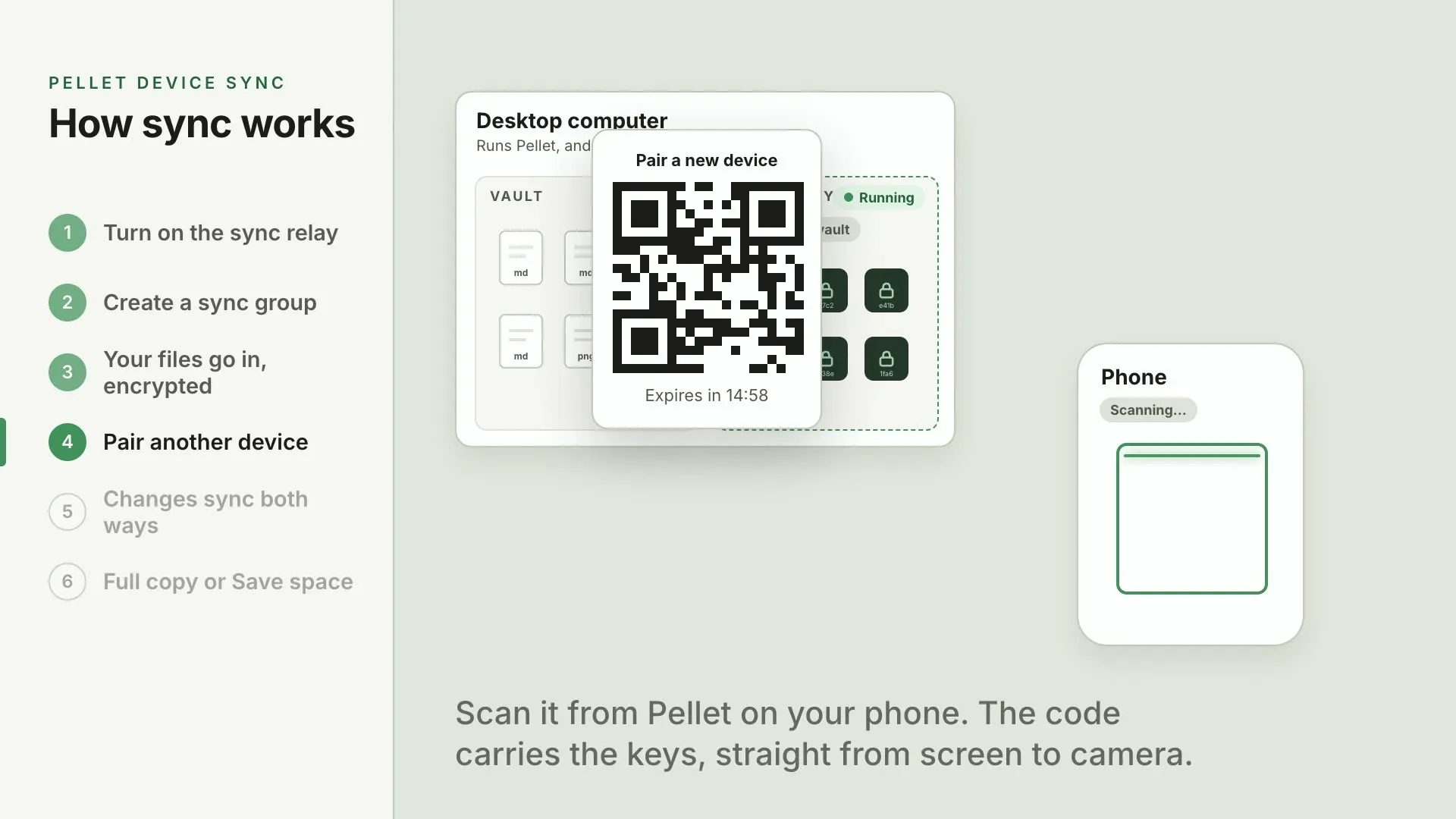
Sync two devices with the built-in relay
Transcript
Sync two of your devices through the relay built into Pellet. On the computer you leave on, switch on the sync relay in Settings. In Device Sync, create a sync group. Choose This computer, and use the relay it hosts. Give this device a name, then create the group. Pair a new device gives you a one-time code with a countdown. Copy it. On the other device, choose Join with code, paste it, name this device, and join. The vault downloads and its folders fill in. Close Settings, and open the same note on the second device. Type on one, and the change shows up on the other.
When two devices edit the same note
Transcript
What happens when two devices edit the same note while they can't reach each other. With the sync relay switched off, both devices say Sync relay offline. Now edit the same note on each device. The Studio Mac adds one line, and the MacBook Air adds another. Switch the relay back on. Both versions are kept: one becomes a conflict copy, and a count appears at the bottom. Click the count for the list, open the copy, and compare. Keep either version, or merge the two.
Keep a folder off one device
Transcript
Keep a folder off one of your devices. On the MacBook Air, in Device Sync, choose the folders this device won't sync. Tick one, and exclude it. In the folder tree, that folder now shows a cloud-off icon. On the Studio Mac, a new note goes into that folder. It never arrives on the MacBook Air. And the files that were already there stay where they are.